
1. 프로젝트 생성
1. 사전
- 자바 17버전
https://docs.aws.amazon.com/corretto/latest/corretto-17-ug/downloads-list.html
Downloads for Amazon Corretto 17 - Amazon Corretto 17
Thanks for letting us know this page needs work. We're sorry we let you down. If you've got a moment, please tell us how we can make the documentation better.
docs.aws.amazon.com
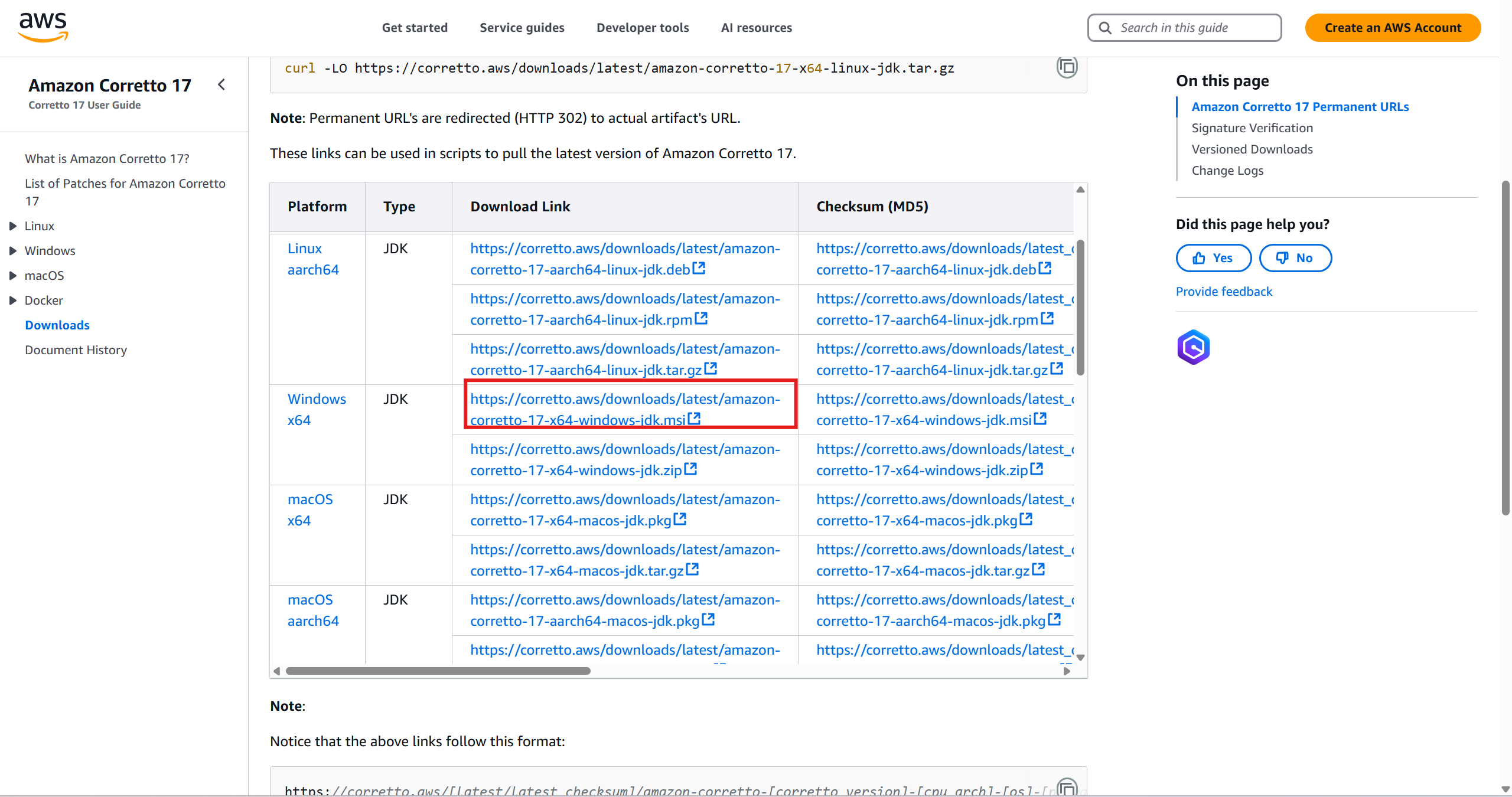
환경변수 설정 - 꼭 17버전으러 깔기
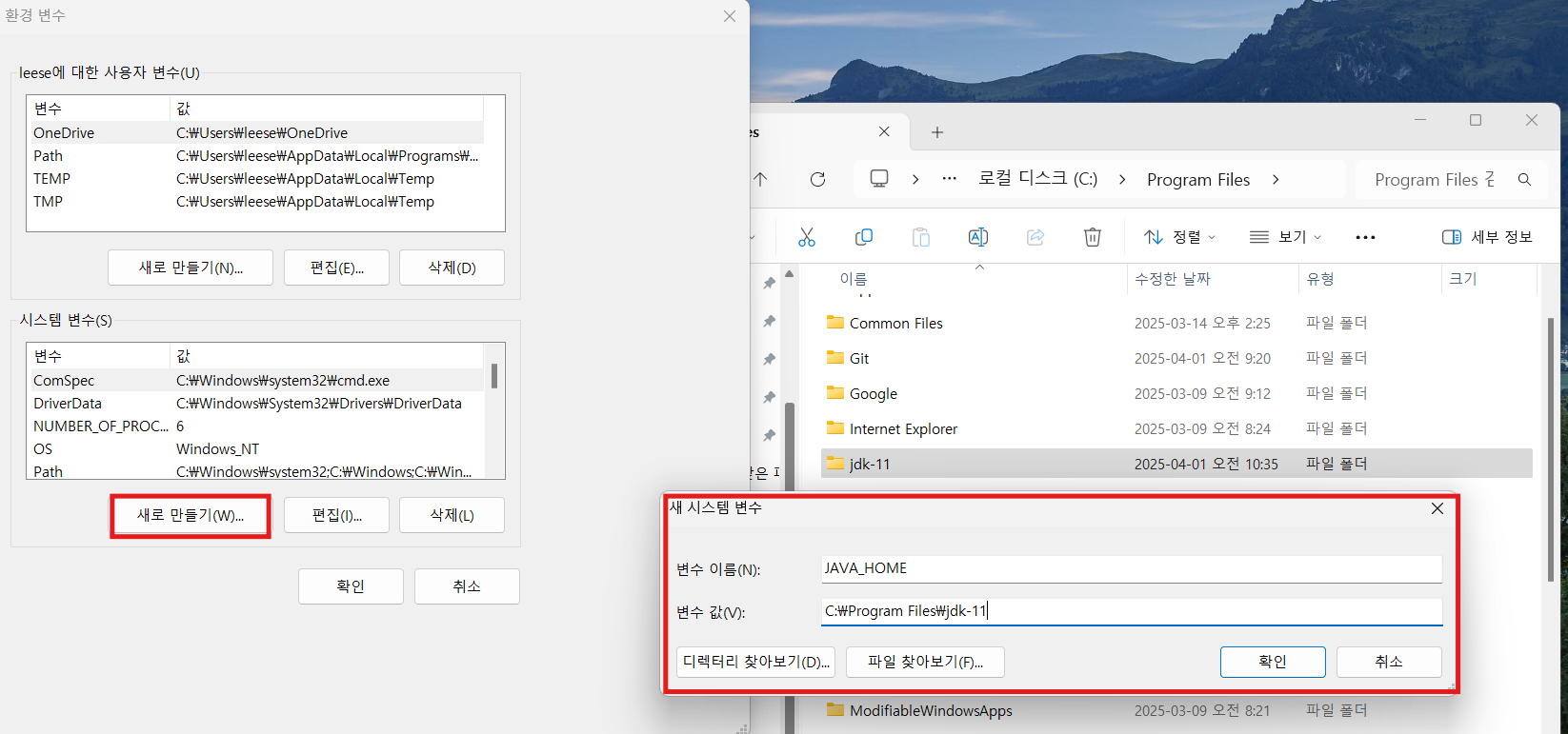

- Eclipse설치 (그러나 interliJ 추천)
https://www.jetbrains.com/idea/download/?section=windows
Download IntelliJ IDEA
Download the latest version of IntelliJ IDEA, the IDE for professional development in Java and Kotlin. Available for Windows, macOS, and Linux.
www.jetbrains.com
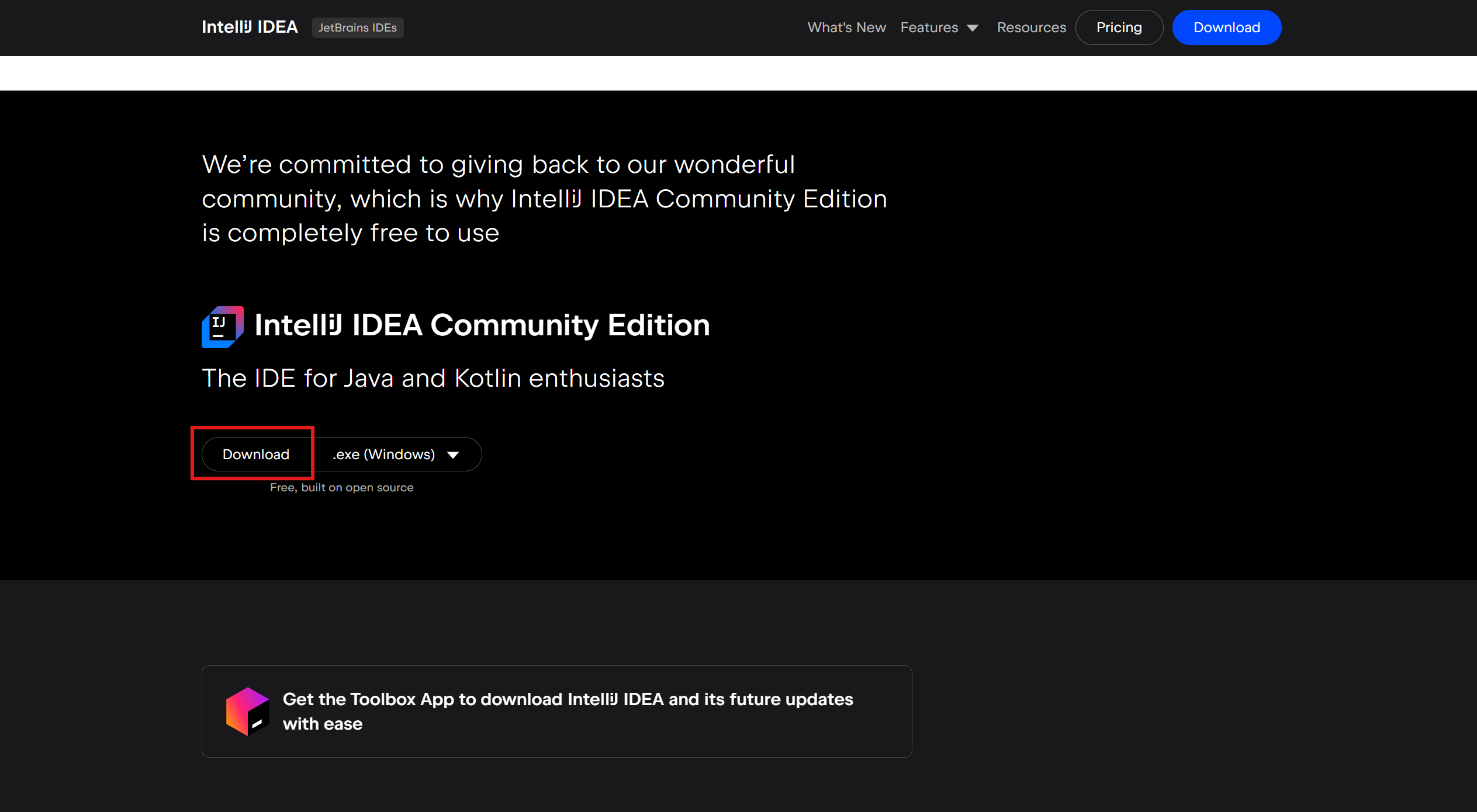
2. 스프링부트 사이트로 프로젝트 생성
3. 파일 구조 보기
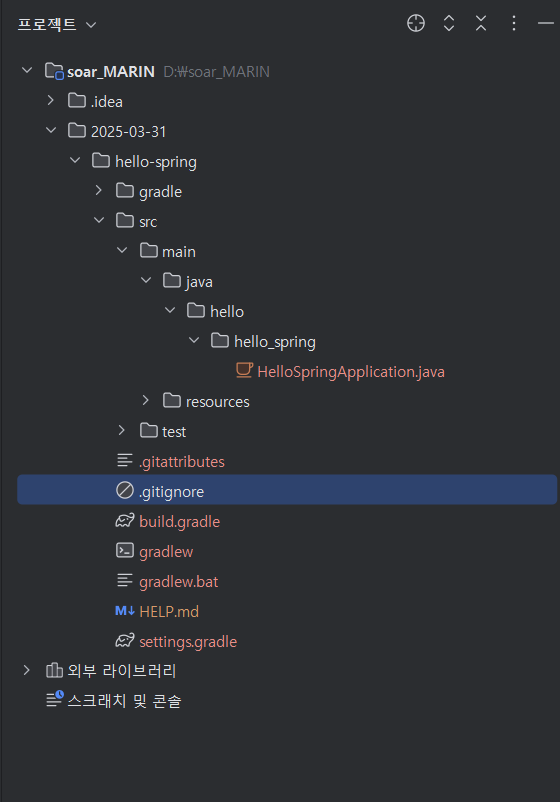
- Compact Middel Package가 선택되면 패키지 기준으로 보인다 (나는 해제: 폴더 구조로 볼거임)
4. bulid.gradle
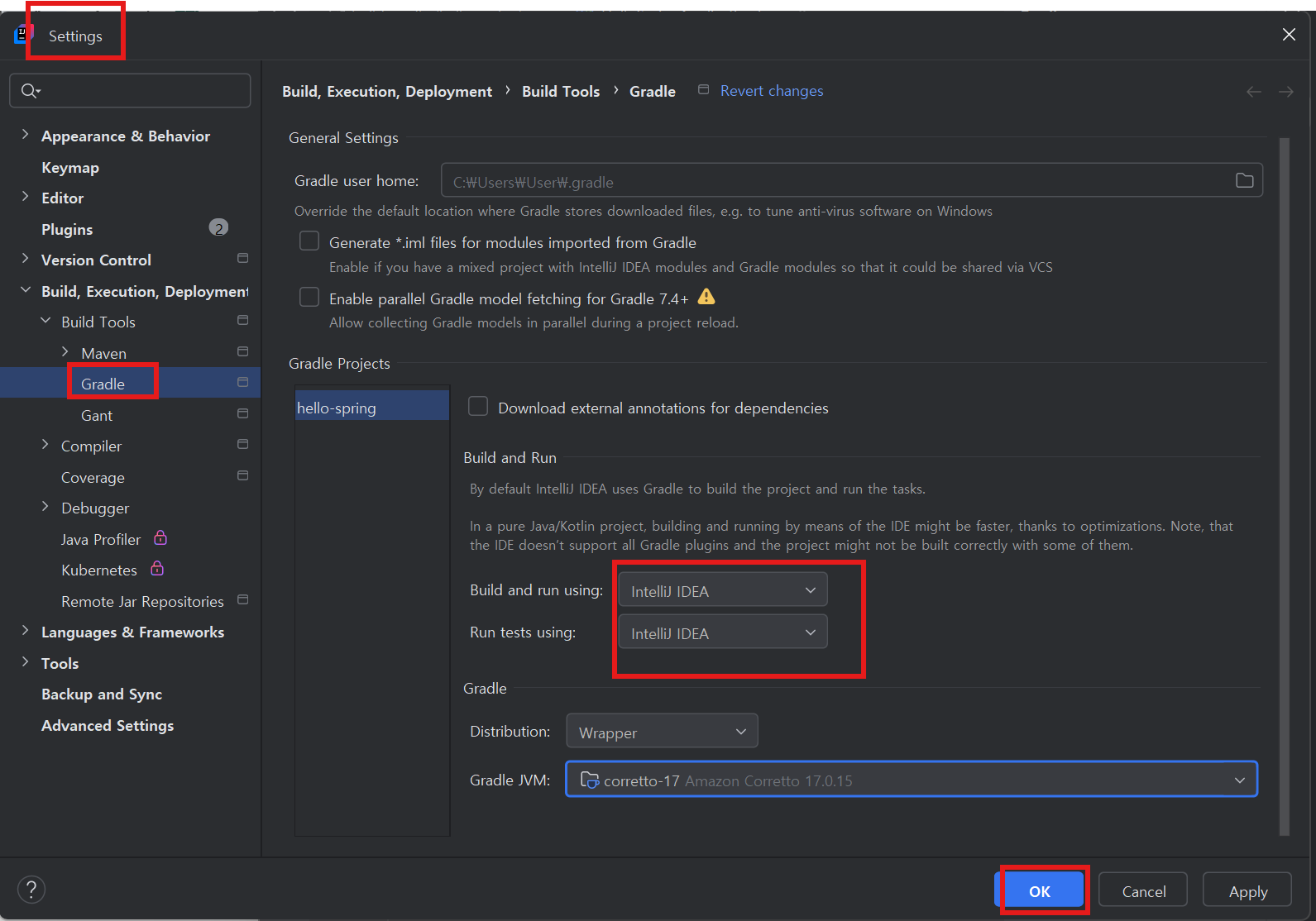
5. 실행
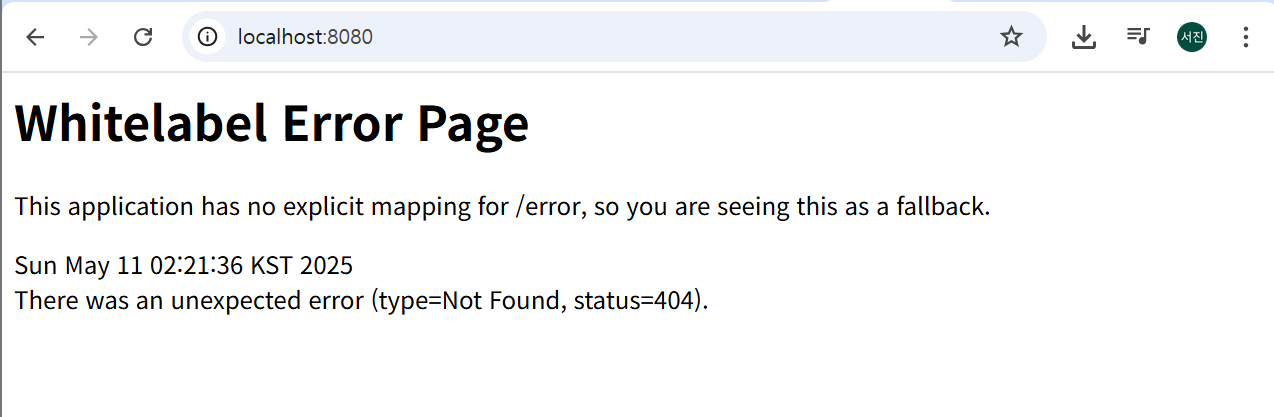
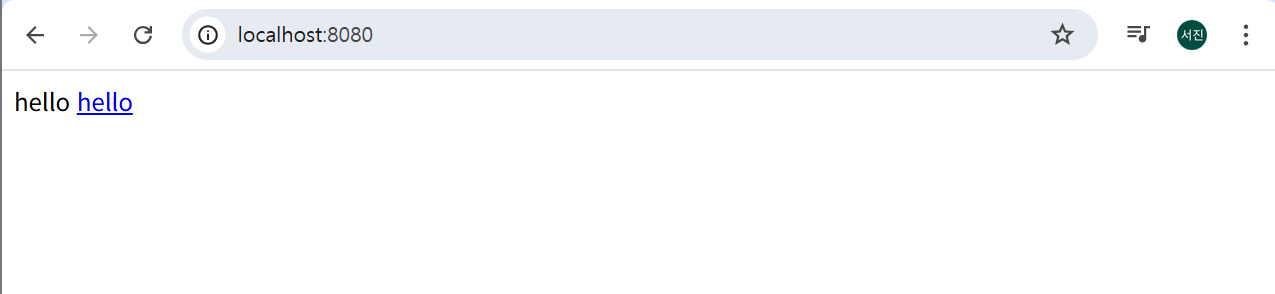
- 웹페이지 8080에 접속: 에러발생시 정상실행된거임.

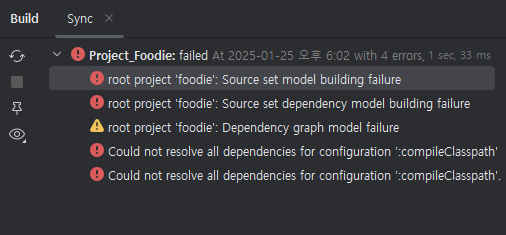
오류 발생 - 자바 SDK 오류
처음에 21깔았는데, 여기서는 17을 써야 하므로 17버전으로 다시 깔았다.
2. 라이브러리 살펴보기
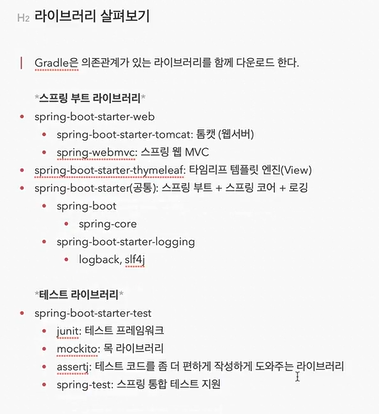
1. 라이브러리간에 의존관계
- 한개의 라이브러리를 불러오면 한번에 관련된 라이브러리들이 다 땡겨져 온다.
- 라이브러리를 빌드에서 웹서버에 올려버림.
2. 로그 출력 : 실무에서
- system.out.println이 아닌 로그로 출력한다.
- 심각한 에러를 따로 모아보거나, 관리가 용이하다.
3. test
- 테스트 할 때 스프링에서 JUnit 라이브러리 쓰는데 4를 많이 쓰다가 5로 넘어가는 추세이다.
3. View 환경설정
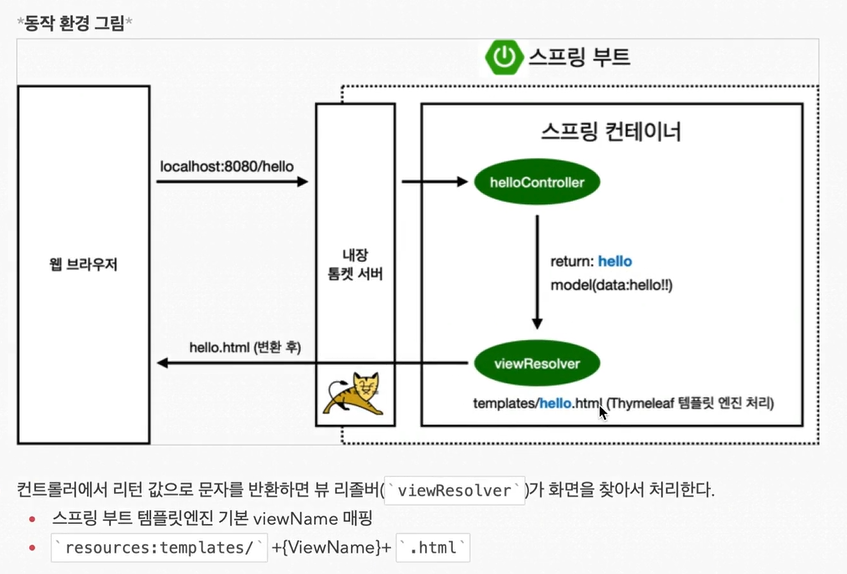
- 템플릿엔진을 사용해서 View를 보여줌.
- 사용자에게 렌더링해서 보여줌.
- GetMapping으로 입력받고 렌더링해서 출력
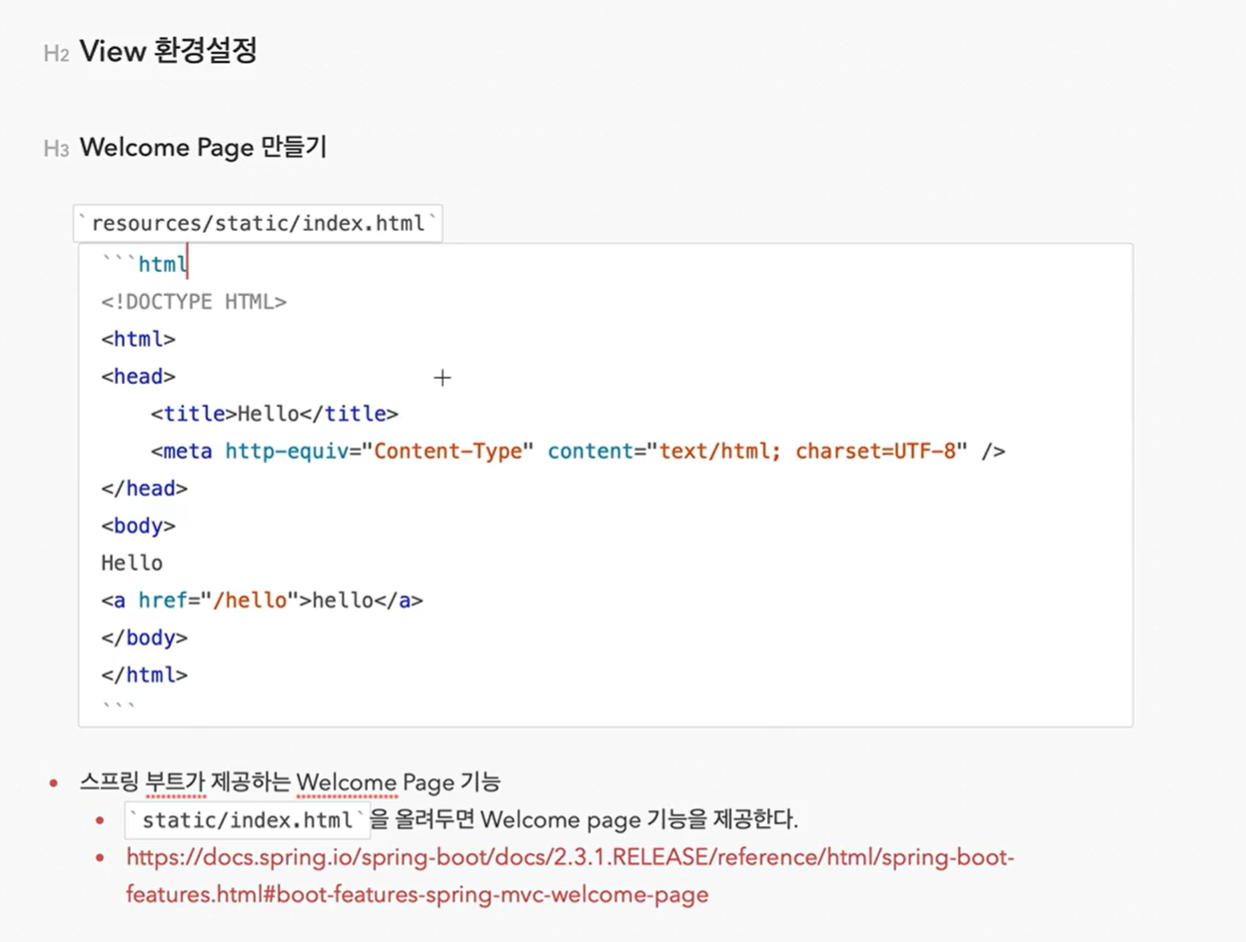
1. ' main/resources/static/index.html'
- 스프링은 먼저 index.hrml을 static에서 먼저 찾는다.
- index.html 파일을 만든다.
<!DOCTYPE HTML>
<html>
<head>
    <title>Hello</title>
    <meta http-equiv="Content-Typen" content="text/html; charset=UTF-8" />
</head>
<body>
Hello
<a href="/hello">hello</a>
</body>
</html>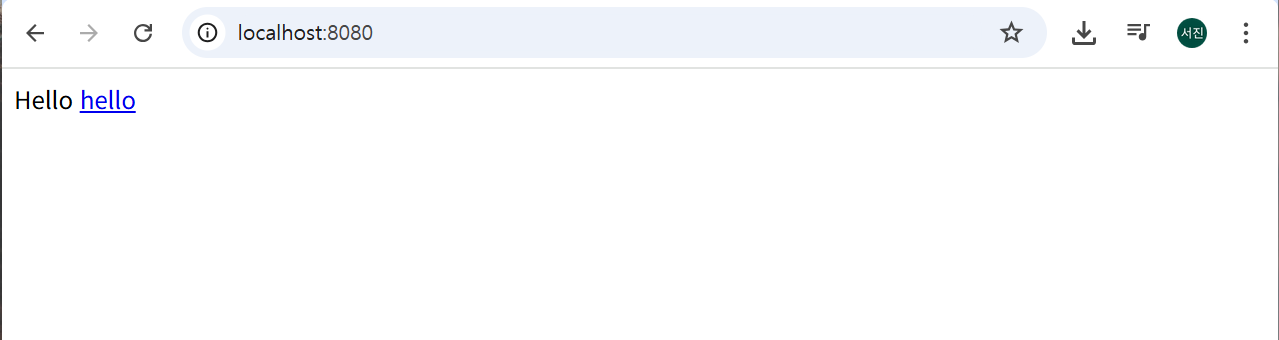
2. thymeleaf 엔진사용
- main/java/hello.hello_spring에 'hello.hello_spring.controller" 패키지 만들기
- "HelloController" class만들기
package hello.hello_spring.controller;

import org.springframework.stereotype.Controller;
import org.springframework.web.bind.annotation.GetMapping;
import org.springframework.ui.Model;

@Controller
public class HelloController {

    @GetMapping("hello")
    public String hello(Model model){
        model.addAttribute("data", "hello!!");
        return"hello";
    }
}
- templates에 가서 new-file "hello.html" 생성
<!DOCTYPE HTML>
<html xmlns:th="http://www.thymeleef.org">
<head>
    <title>Hello</title>
    <meta http-equiv="Content-Typen" content="text/html; charset=UTF-8" />
</head>
<body>
<p th:text="안녕하세요. + ${data}"> 안녕하세요. 손님 </p>
</body>
</html>

3. 웹실행
- 패키지 만들기 : controller
- 클래스 만들기 : HelloController
- 클래스에 @Controller : 컨트롤러 annotation적어줌
- 코드 작성
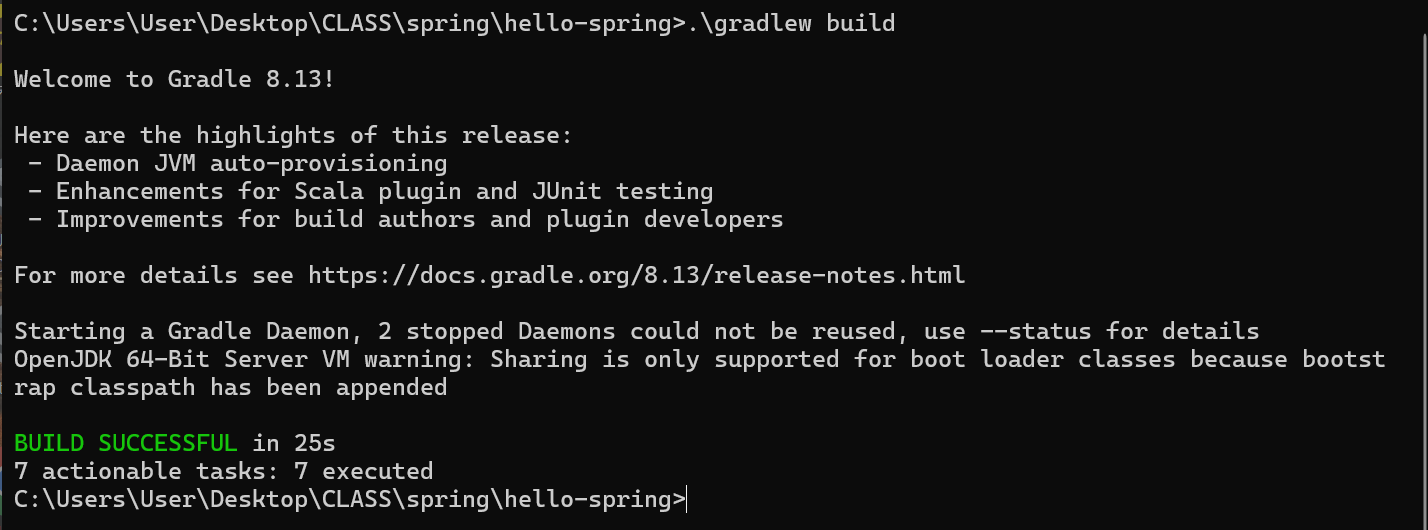
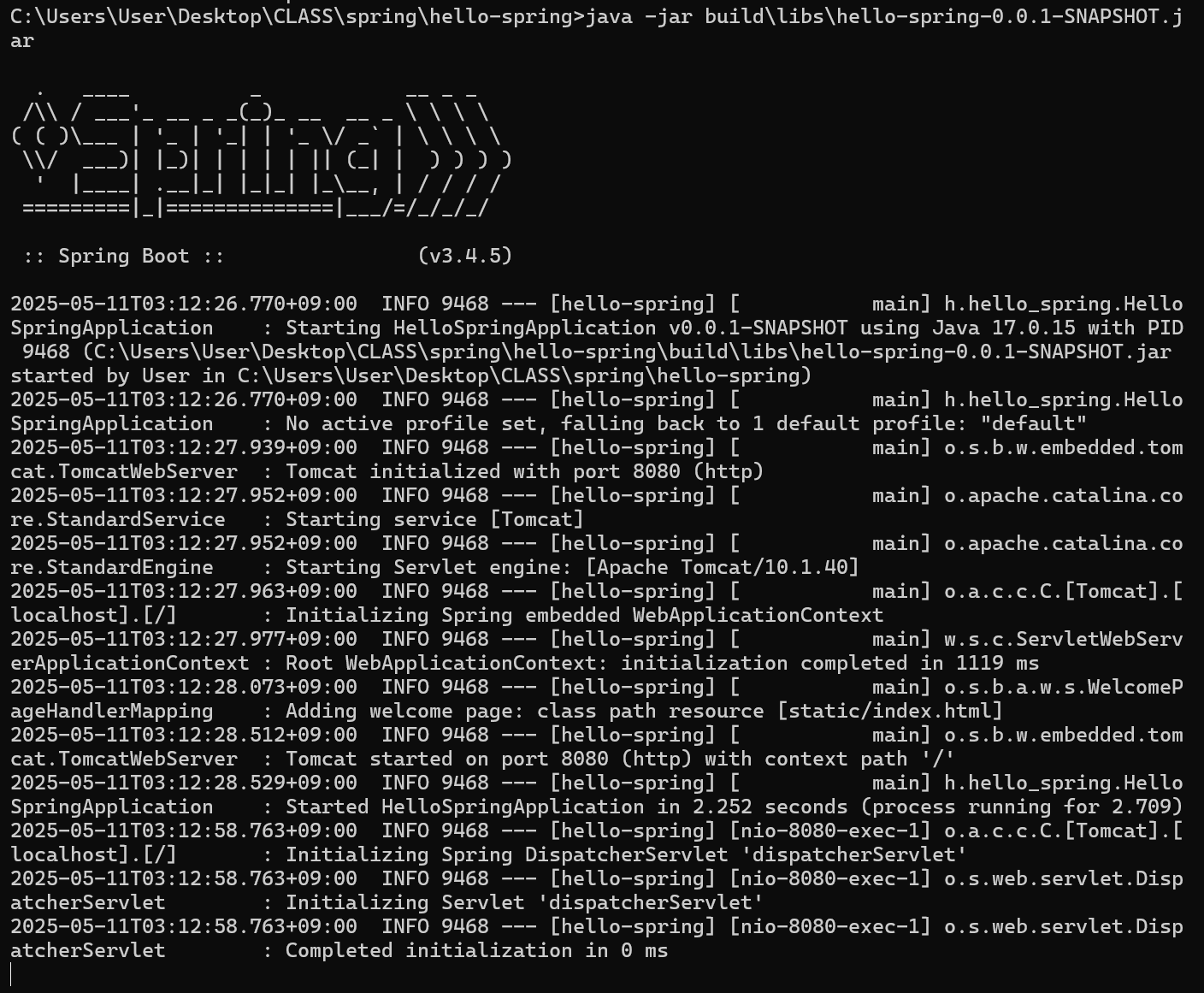
4. 빌드하고 실행하기
1. 콘솔 이동

2. './gradlew duild'
3. java -jar build\libs\hello-spring-0.0.1-SNAPSHOT.jar

출처 : 김영한, 『스프링 입문 - 코드로 배우는 스프링 부트, 웹 MVC, DB 접근 기술』, 인프런 강의.
'DEVELOPMENT > Spring' 카테고리의 다른 글
| 5. 회원 관리 예쩨 - 웹 MVC 개발 (0) | 2025.05.12 |
|---|---|
| 4. 스프링 빈과 의존관계 (0) | 2025.05.12 |
| 3. 회원 관리 예제 - 백엔드 개발 (0) | 2025.05.12 |
| 2. 스프링 웹 개발 기초 (0) | 2025.04.07 |
| 0. 강의 소개 (0) | 2025.04.01 |